Print & export
Print the map to a scaled PDF, or export the network as .inp, DXF, images and tables.
Print the map to PDF
- Open File › Print.
- Choose the Paper (A4 or A3) and Orientation.
- Choose the Area: what is on screen, a box you draw on the map, or the selected elements.
- Choose a Scale — Fit, or a fixed 1:1,000, 1:2,500 or 1:5,000 to match a drawing set.
- Untick what you don’t want on the page and press Save as PDF.
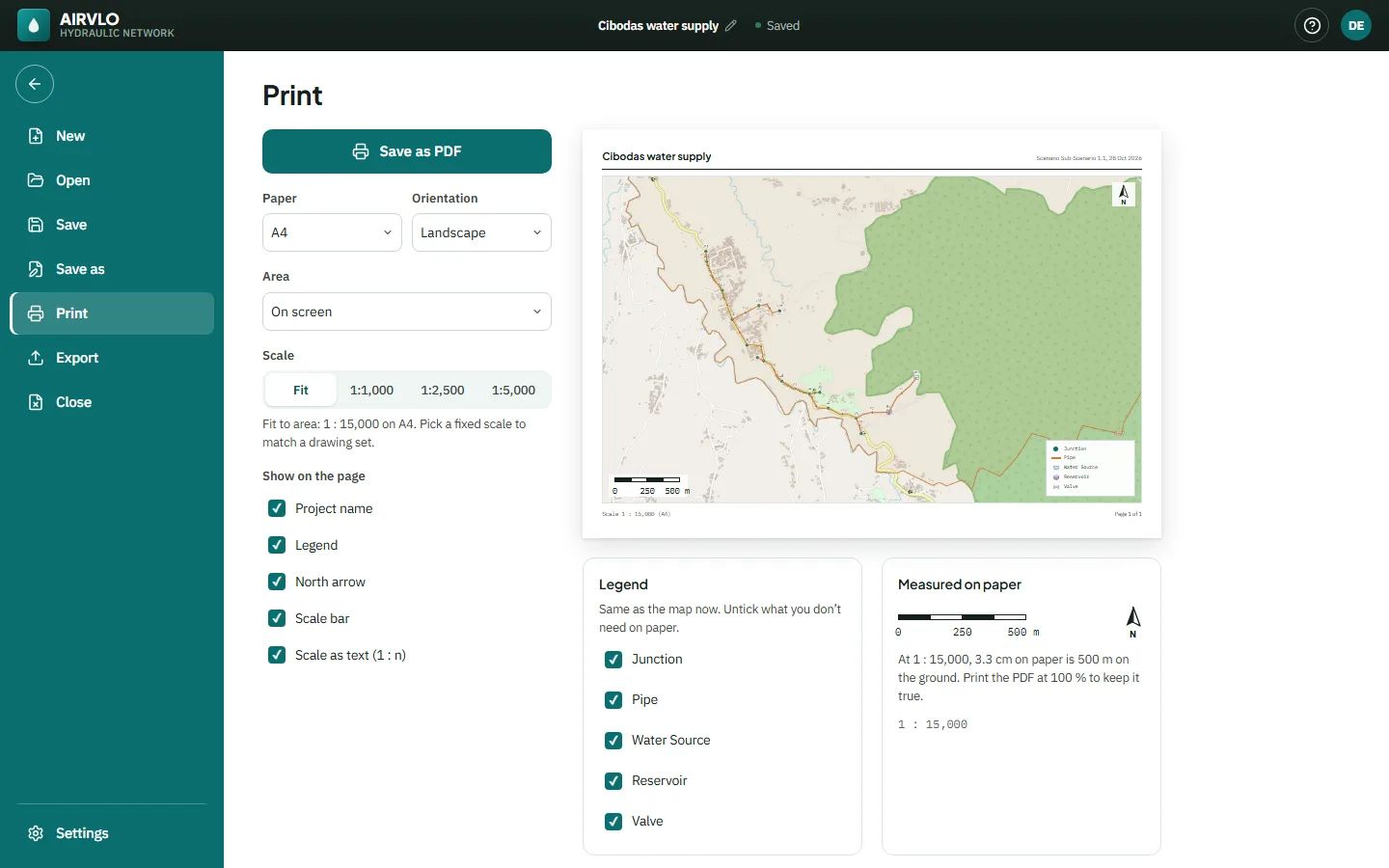
Print the PDF at 100 % so the scale stays true. The panel shows what a centimetre on paper measures on the ground.
Export files
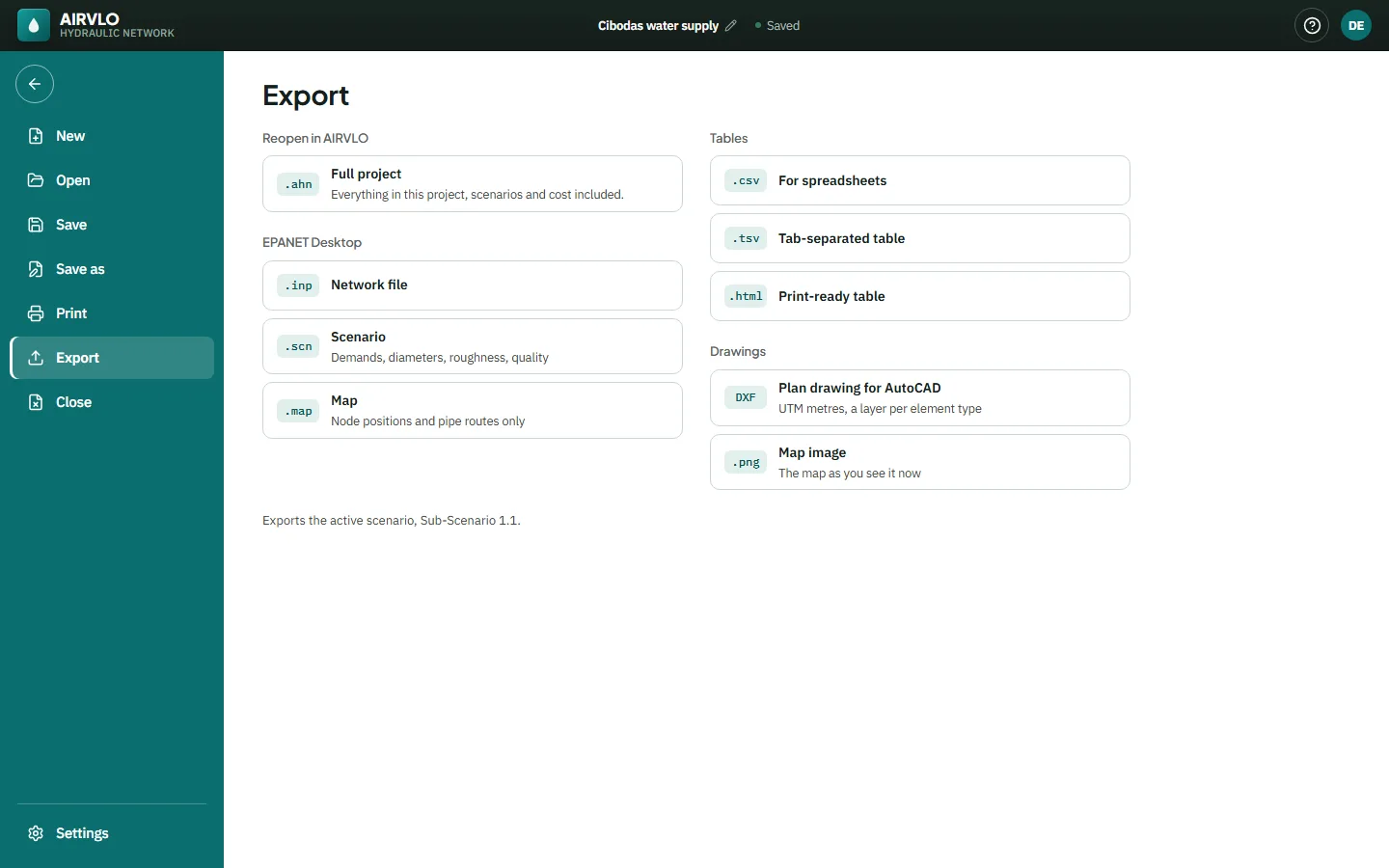
File › Export saves the active scenario:
- .ahn — the full project, to reopen in AIRVLO.
- .inp, .scn and .map — the network, scenario data and node positions for other hydraulic software.
- .csv, .tsv and .html — tables for spreadsheets or printing.
- DXF — a plan drawing for AutoCAD in UTM metres (or local metres), one layer per element type, with the labels you choose.
- .png — the map as you see it.
Graphs and tables have their own print, copy and download buttons, and Analysis › Report gives the status or full report as text.